At a Glance
- Problem statement: Customised Odoo gets costlier to upgrade and run with every change.
- What this covers: What to configure, extend or customise, and why extending beats customising.
- Key finding: Odoo’s upgrade guide says to challenge customisations that duplicate standard features.
- Business impact: Custom code is a recurring budget line, so it’s a leader’s call.
- What you will learn: Four routes, a five-question test and cost drivers.
A business brings in Odoo implementation services to replace spreadsheets and disconnected tools with one system. Then teams ask for changes, like a new report or field, and the quickest answer is custom code. An upgrade lands, and all that code has to be made to work again. The fix isn’t saying no to your teams. It’s meeting each need the lightest way: configure first, extend second, customise last. Building around Odoo often works, because its standard code stays untouched. This guide shows how to choose each route.

1. Why the route matters: what Odoo implementation services should configure, extend or customise
Odoo standard vs customised: four routes, each with different upgrade work.
| Option | What it means | Upgrade risk | Pick it when |
| Configure | Use standard settings and workflows | Lowest | Standard features do the job |
| Studio | Simple fields, screens and automations | Low | A small change to a screen |
| Extend | Portals and integrations outside Odoo’s code | Unchanged | A new experience or system link |
| Customise | Custom modules that change standard behaviour | Highest | It sets you apart and nothing else fits |
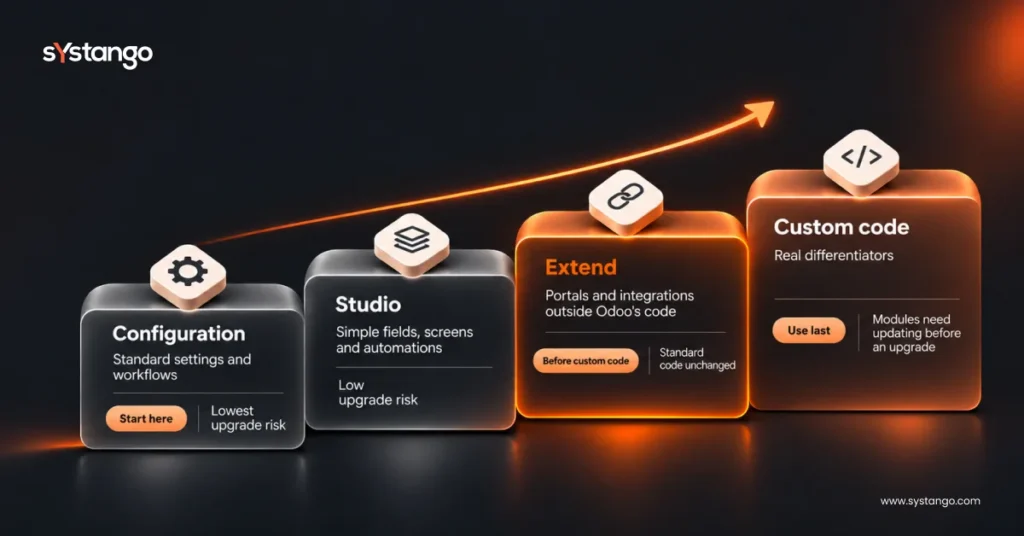
Odoo ERP customisation is worth it only in the last row. Extensions need upkeep too.
2. A five-question fit-gap test before any code is written
Start the Odoo implementation process with a fit-gap check: compare needs with what Odoo already does. Ask five questions:
- Does standard Odoo already do this?
- Can a setting or Studio cover it?
- Is the process worth keeping?
- Must it live inside Odoo, or just connect?
- Will it still matter after the next upgrade?
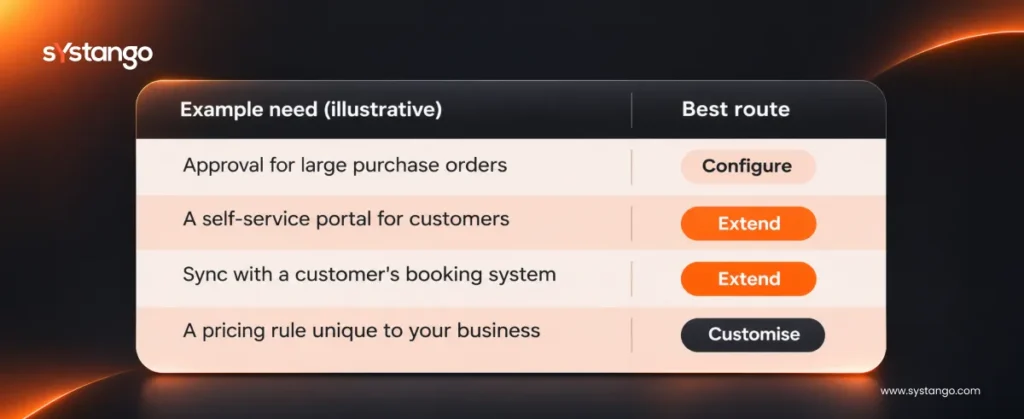
Each route changes your upgrade bill, so this is a budget call. Four sample needs show where the questions point:
A growth-stage UK B Corp in IT asset disposition sent every booking and compliance report through account managers. Systango built a self-service portal on top of its Odoo ERP without modifying it. Enterprise clients got self-service for the first time.
3. What drives Odoo implementation cost
- Odoo implementation cost follows five drivers: modules and users, custom development, integrations, data migration and support.
- You control custom development most, and it grows with every upgrade.
Ask your Odoo implementation partner to price each route separately; a good one explains every choice.
How Systango Extends Odoo Without Customising It
Systango is listed in Odoo’s UK partner directory as a Certified Implementation Expert, helping businesses whose projects outgrow standard configuration.
Its digital product engineering team builds portals and integrations around Odoo, so upgrades stay easier to plan. See Systango’s Odoo partner page to know more.
Key Takeaways
- The B Corp gave clients self-service without touching its ERP: building around Odoo works.
- Custom code is a recurring cost: each module must work again per upgrade.
- Configure first, extend second, customise last, saving custom code for what sets you apart.
- Before building, ask for a fit-gap list sorting requirements: configure, extend or customise.